
Automatically Stack Containers and Trucks in 3D
Place your cargo into containers, trucks and trailers in three dimensions – either automatically or manually with drag and drop. Maximize fill rate, control axle weight distribution and balance, and share the plan as a PDF.
3D Load Planning is a loading optimization solution that places your cargo into containers, trucks and trailers in three dimensions. Whether you let the smart algorithm stack automatically or build the layout yourself professionally with drag and drop, Loggerise maximizes your vehicle’s fill rate, balances the axle weight distribution and lets you carry more cargo per trip, reducing your freight cost.
What Is 3D Load Planning?
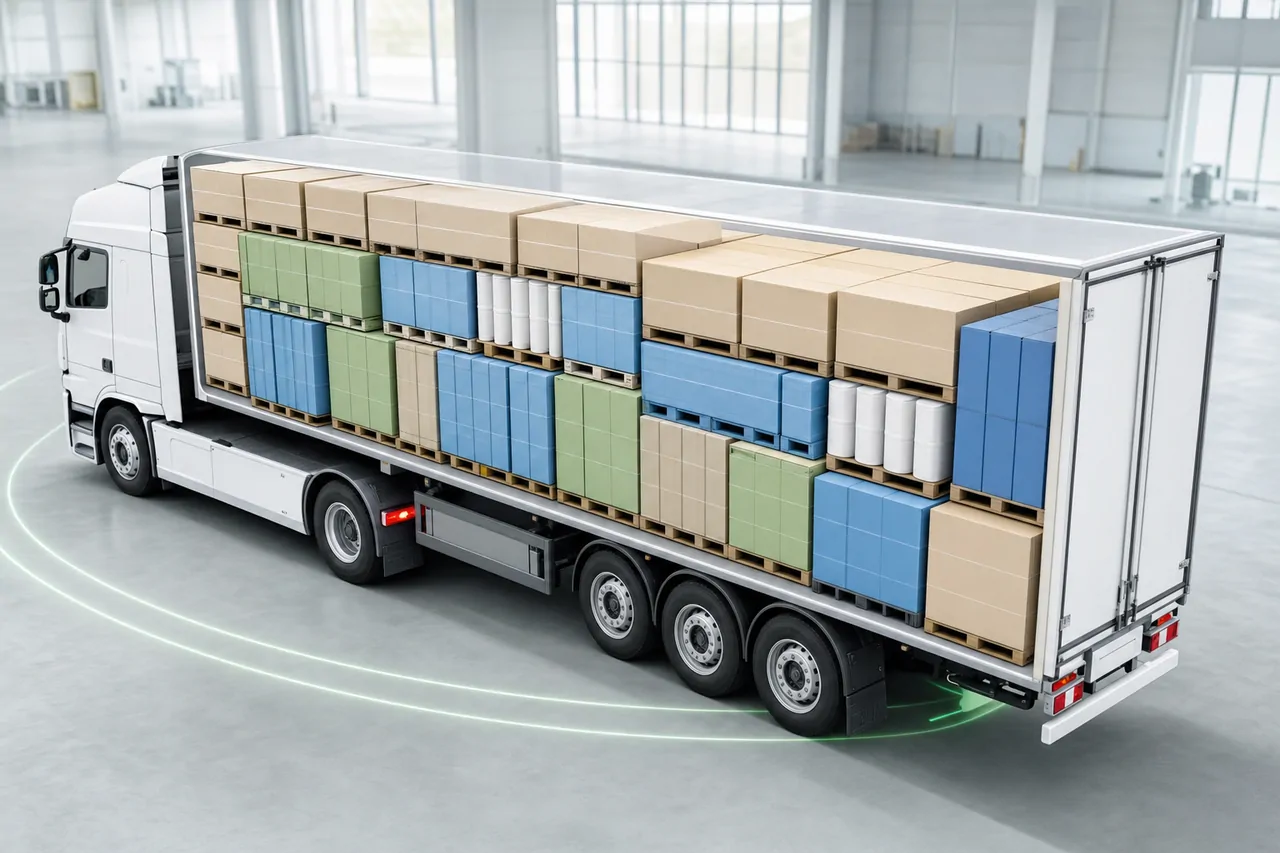
In traditional loading planning, stacking is left to the experience of the driver or the operations team. This means wasted volume, unbalanced weight and re-loading in the field. Loggerise’s 3D load planning engine matches your box, carton and pallet dimensions with container or truck/trailer sizes to calculate the most efficient layout and visualizes it in three dimensions in real time. Before loading, you see clearly on screen how the vehicle will be filled.
Automatic or Manual: You Are in Control
Loggerise 3D load planning works in two ways. In automatic mode, the smart algorithm (bin-packing) arranges your cargo in the most efficient way within seconds. In manual mode, you place each box, carton and pallet wherever you want yourself with drag and drop, applying your own loading strategy and field experience professionally. You can also combine the two and fine-tune the automatic plan as a starting point – you are fully in control.
Key Features
- Automatic 3D stacking: The smart placement algorithm arranges your cargo into containers and trucks in the most efficient way, within seconds.
- Manual placement: Place your cargo yourself, professionally, with drag and drop; build your own loading layout without needing an automatic plan.
- Maximum fill rate: Minimizes empty volume; by carrying more cargo on the same trip, you increase your profitability per vehicle.
- Axle weight distribution: By monitoring the load on each axle, it prevents overweight fines and problems during road inspections.
- Center of gravity and balance (COG): By checking the balance of the load, it reduces the risk of tipping and shifting and improves driving safety.
- Stacking rules: Applies weight, support surface and stackability rules – heavy cargo is not placed on top of light cargo, and fragile cargo is protected.
- PDF loading plan: Download the plan you prepare as a PDF and share it with the driver and warehouse team.
- Container and truck support: From 20’/40′ containers to tractor-trailers and trailers; plan with ready-made vehicle templates or with your own dimensions.
What Problems Does Load Planning Solve?
It eliminates low fill rates and empty return costs, damage caused by incorrect stacking, axle weight fines and long loading times. Your operations team works according to a measurable loading plan rather than guesswork; you face no surprises in the field.
Who Is It For?
It is ideal for FTL and LTL transport, export and import (container) operations, distribution fleets, and warehouse and bonded warehouse shipments. It provides loading efficiency at every scale, from a single vehicle to multi-branch fleets.
The Loggerise Difference
3D load planning is a capability not found in most logistics ERP and fleet management software. In Loggerise, this engine works fully integrated with trip and cargo management, fleet, finance, e-invoice (e-Fatura) and the driver mobile app. In other words, the cargo you plan is directly within your operations and invoicing flow.
Frequently Asked Questions
Do I place the cargo automatically or manually?
Both are possible. The algorithm produces an automatic loading plan within seconds; if you wish, you can edit this plan with drag and drop or create it entirely yourself from scratch, professionally. You are in control.
How does 3D load planning work?
The algorithm matches your box, carton and pallet dimensions with container/truck sizes to calculate the most efficient layout and displays it in three dimensions. You can take the automatic plan as a basis and make manual fine-tuning.
Does it calculate axle weight distribution and balance?
Yes. The system calculates the load distribution per axle and the center of gravity (COG); this way you prevent overweight fines and risks caused by unbalanced loads.
Does it support both containers and trucks?
Yes. There are ready-made templates for 20’/40′ containers, tractor-trailers and trailers; in addition, you can create a custom loading plan by entering your own vehicle dimensions.
Can I share the loading plan?
Yes. You can download the loading plan you prepare as a PDF and share it with the driver and warehouse team.