
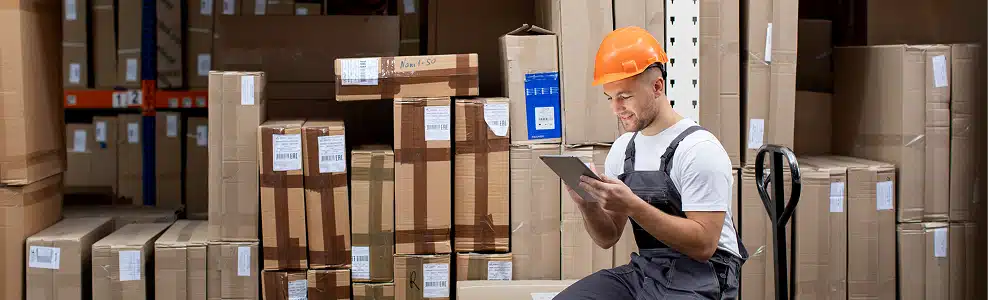
In international trade, a product’s export journey doesn’t begin at the customs gate or when it’s loaded onto a ship. The true starting point of an export operation is the moment that product leaves the factory and enters your logistics center or warehouse.
The warehouse is the heart of the export operation. It is a critical junction where thousands of packages from hundreds of different suppliers are collected, sorted (consolidation), labeled, and loaded onto the correct trucks. Unfortunately, in many logistics companies, this “heart” suffers from arrhythmia.
Goods receipts handled with paper forms, “Which pallet belongs to which truck?” confusion, lost packages, and misdeclared weights… A small mistake in the warehouse can turn into a massive customs fine at the border or a serious loss of trust with the customer.
The Loggerise Export Warehouse Management Module is designed to discipline this chaotic process. By digitalizing the entire flow—from Pre-Carriage to the vehicle’s departure from the gate—we transform your warehouse into an error-free technological hub.
In this comprehensive guide, we will examine why export warehouse management must go digital, how to illuminate blind spots in Goods Receipt processes, and how to tear down the walls between the office and the warehouse.
1. Pre-Carriage and Expected Load Management
The biggest problem in traditional warehouse management is “uncertainty.” When the warehouse manager arrives in the morning, they don’t know exactly how many vehicles will bring goods, how much empty space is needed, or which equipment (forklifts, pallet jacks) to prepare. Chaos begins the moment trucks hit the ramp.
Loggerise starts the process before the goods reach the warehouse.
Expected Loads (Pre-Alert)
An export record opened in the Load Management module automatically appears on the warehouse screen as an “Expected Load.”
What’s coming? Number of packages, estimated weight, and volume.
When? Estimated time of arrival (ETA).
Who? Domestic transport vehicle or supplier information.
With this data, your warehouse team prepares before the truck even docks, creating a layout plan and optimizing labor.
2. Digital Goods Receipt: Paperless and Proven Entry
The era of personnel running around with paper lists when a supplier vehicle docks is over. With Loggerise, warehouse staff manage the process using tablets or industrial handheld terminals.
Counting and Inspection
Incoming products are cross-checked against the “Expected Load” list in the system:
Are there any missing or extra items?
Is the packaging intact?
Are the labels correct?
Photo-Documented Damage Detection
If a package arrives crushed, wet, or torn, the staff instantly takes a photo via the tablet. A “Damage Report” is generated within the system and sent immediately to the operations manager and (optionally) to the customer. “Dear Customer, your goods have arrived, but 2 packages are damaged. Photos attached. Do you accept?” This proactive approach puts an end to “You caused the damage” disputes at the destination and clarifies accountability.
3. 7-Stage Live Status Tracking
Do your customers constantly ask, “Has my cargo entered the warehouse?”, “Is it loaded?”, “When will it depart?” With Loggerise, make the operational lifecycle transparent.
Your loads pass through 7 stages, tracked with color codes:
Awaiting (Pre-Alert): Order opened, goods not yet arrived.
At Gate: Vehicle entered the warehouse area, waiting in queue.
In Warehouse / Accepted: Goods counted, received, and shelved.
Preparing: Loading order received, goods moved to the staging area.
Loading: Products being loaded onto the export truck (Main Carriage).
Loaded / Closed: Loading complete, doors sealed.
Dispatched to Customs: Vehicle has documents and is en route to the customs zone.
4. Tearing Down the Walls Between Office and Warehouse
In logistics firms, there is often a communication gap between the office (white-collar) and the warehouse (blue-collar). The office says “Load it,” and the warehouse asks “Which truck?”
Loggerise creates a single entity through Real-Time Synchronization.
Drag-and-Drop Loading Plan
The planner in the office identifies the export truck on the Trip Management screen. They simply drag “Available” loads into the truck icon. Instantly, a “Work Order” hits the warehouse staff’s tablet: “Load these 10 barcoded pallets onto vehicle plate 34 AB 123.”
Ending Cross-Loading Errors
Staff scan the pallet barcode during loading. If they try to load the wrong pallet, the tablet alerts: “ERROR! This pallet belongs to the Germany truck, not this one!” This prevents 100% of wrong shipments and the massive costs associated with sending goods to the wrong country.
5. Packing List and Customs Preparation
The most sensitive part of exporting is the customs declaration. The weight and piece count on the declaration must match the cargo in the truck perfectly. Otherwise, you face “misdeclaration” charges.
With Loggerise:
Data weighed and measured during receipt (Volume, Kg, Count) is recorded.
When loading ends, the system automatically generates a “Packing List.”
This list is based on actual field data, not “estimates.”
This data flows automatically to your customs broker and the e-CMR system.
6. Value-Added Services (VAS) in the Warehouse
Export warehouses are not just storage spaces; they are places for labeling, palletizing, and shrink-wrapping. Loggerise records these “Value-Added Services”:
If staff perform “Repalletization,” it’s entered into the system.
Materials used (Stretch wrap, Pallets, Boxes) and labor time are recorded.
These extra costs are automatically reflected in the customer’s invoice.
This ensures that labor and materials spent in the warehouse return as billable services rather than loss of revenue.
7. The Power of Integration
The Export Warehouse Management module sits at the center of the Loggerise ecosystem and talks to other modules constantly:
Integrated with Load Management for incoming goods.
Integrated with Trip Management for the departing truck.
Integrated with Live Fleet Tracking for monitoring the dispatched vehicle.
Integrated with e-CMR for documentation.
Conclusion: Let Your Warehouse Produce Order, Not Chaos
In export operations, speed and reliability are directly proportional to your warehouse performance. Lost products among piled boxes and incorrectly loaded trucks don’t have to be your fate.
With Loggerise Export Warehouse Management:
Visibility: Track what is where in real-time.
Speed: Shorten vehicle loading times.
Accuracy: Get rid of customs fines.
Customer Satisfaction: Deliver undamaged and on time.
Open the doors of your warehouse to the digital world. To see how we can optimize your processes, reach out via our Contact page or request a free demo.